BRAILLE. STEM. ART. POSSIBILITY.

BrailleDoodle.
Learning you can touch.

Every learner deserves a way to explore. The TouchPad Pro Foundation opens doors through braille literacy, tactile STEM, and art.

Meet the BrailleDoodle tactile tablet: two sides for braille practice, drawings, maps, and graphs. Its magnetic stylus raises metal dots you can feel.

No batteries. No screens. No internet.

Find your next step
A 501(c)(3) nonprofit Learning, open to everyone
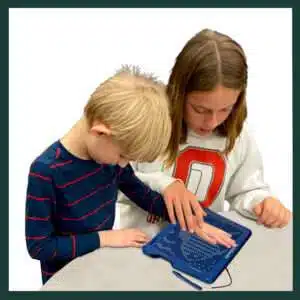
A sister and brother explore a raised-dot drawing on the BrailleDoodle tactile tablet.

LEARNING BELONGS TO EVERYONE

For curious hands.
For shared discoveries.

SEE BRAILLEDOODLE IN ACTION48 seconds
Little dots. Big discoveries.

Meet the people learning and creating with BrailleDoodle.

Choose a video

Video visual description

Children and adults use the magnetic stylus to raise dots on the blue BrailleDoodle. Close-ups show braille examples, practice cells, and fingers exploring the raised dots. Learners create tactile drawings and practice letters, independently and with support from an adult.
BrailleDoodle inventor Daniel Lubiner with Brian beside tactile learning tablets.A teacher's idea.
Inspired by his students.

After years of teaching students who are blind or have low vision, Daniel Lubiner created BrailleDoodle to make braille, tactile art, and STEM learning more accessible. Through the TouchPad Pro Foundation, he works to put that opportunity within everyone's reach, including those who cannot afford a device.

Meet the people behind it (opens the current site in a new tab)

A LITTLE GUIDANCE, A CLEAR NEXT STEP

What brings you here?

Tell us a little about what you need.
We’ll point you in the right direction.

1 I’m here as…
2 I’d like to…
YOUR NEXT STEP

Your first step to hands-on learning.

Find the buying option for your country, then explore braille, art, and STEM together.

  • Two sides for learning and creating
  • A magnetic stylus raises dots you can feel
  • Refresh the surface and try again

Choose your country or region to see where to go.

Not sure where to start? Email the Foundation

MEET BRAILLEDOODLE

Two sides.
A world of possibility.

Learn a letter. Draw a picture. Explore a graph.
Get to know the tool that puts discovery in your hands.

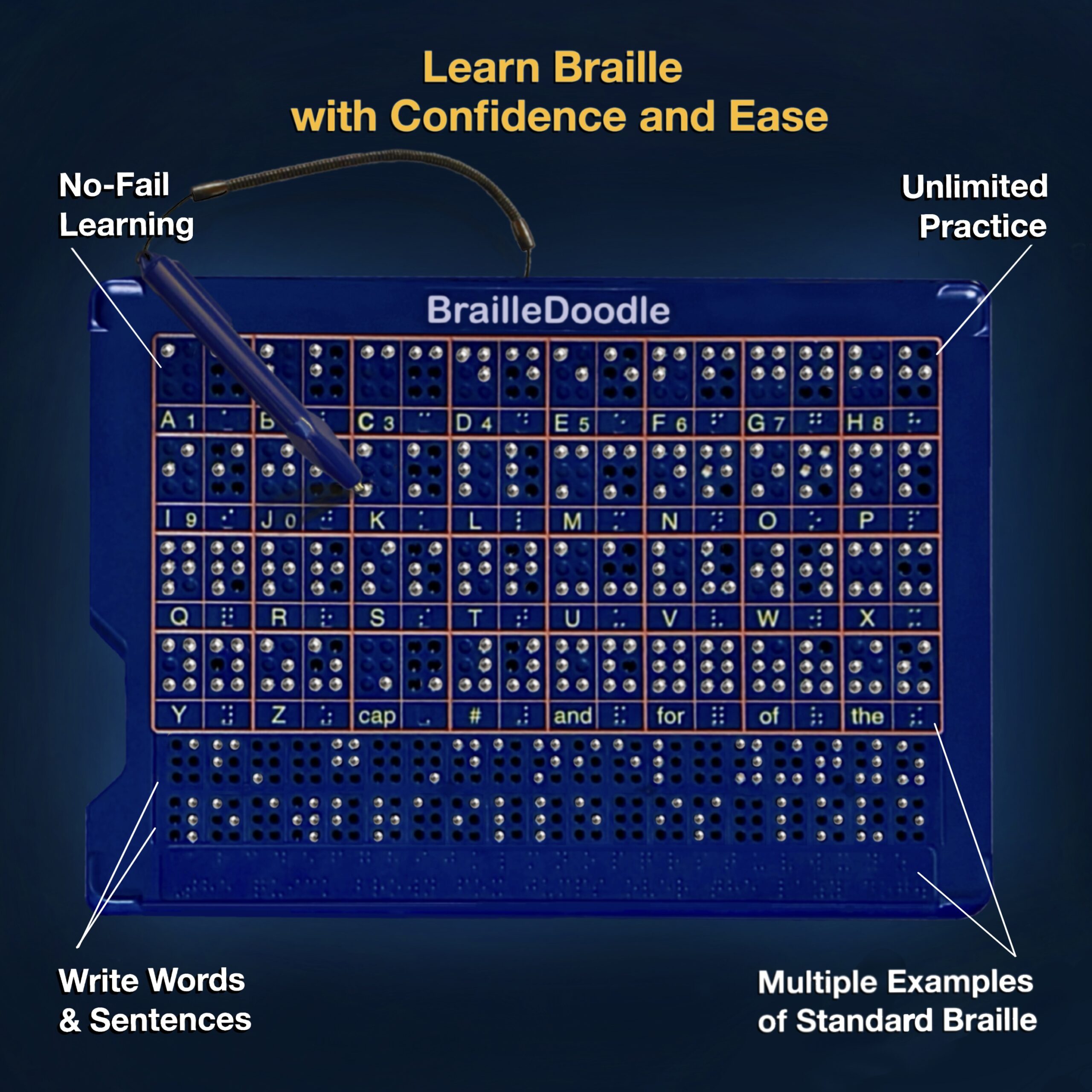
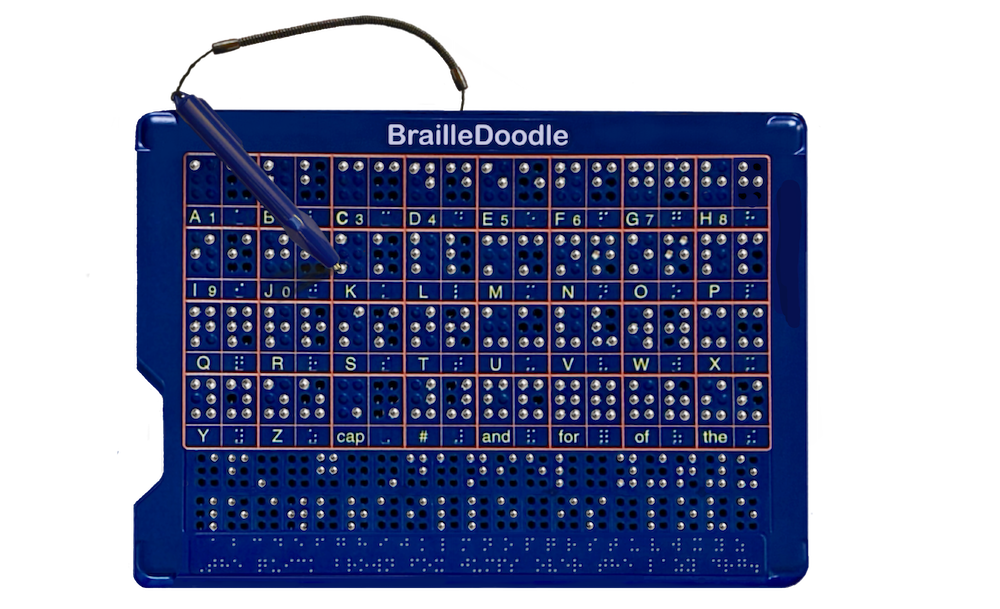
BrailleDoodle Braille Side with alphabet examples, large and standard braille practice cells, writing rows, and a magnetic stylus.

The Braille Side

Explore examples, practice letters, and build up to words and sentences.

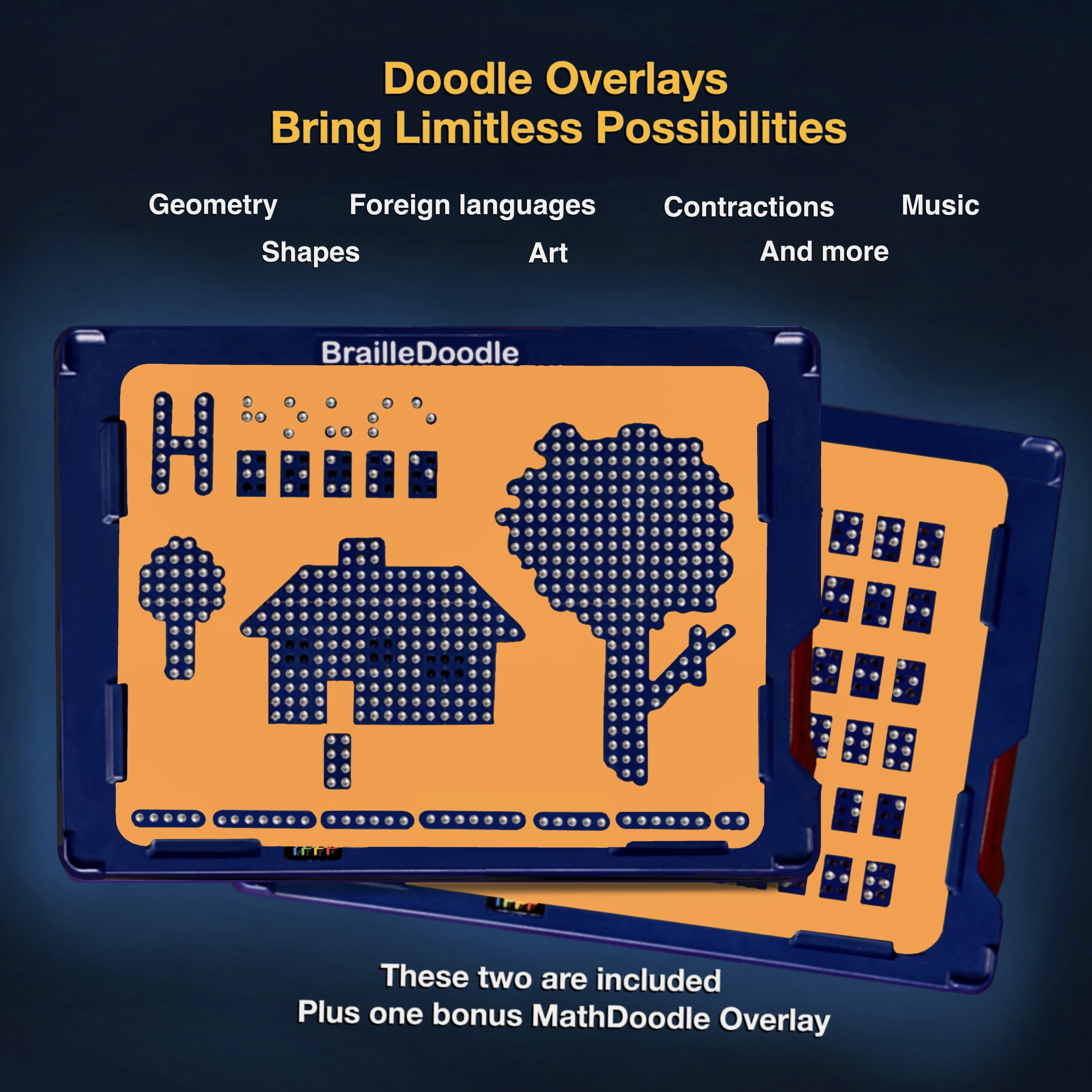
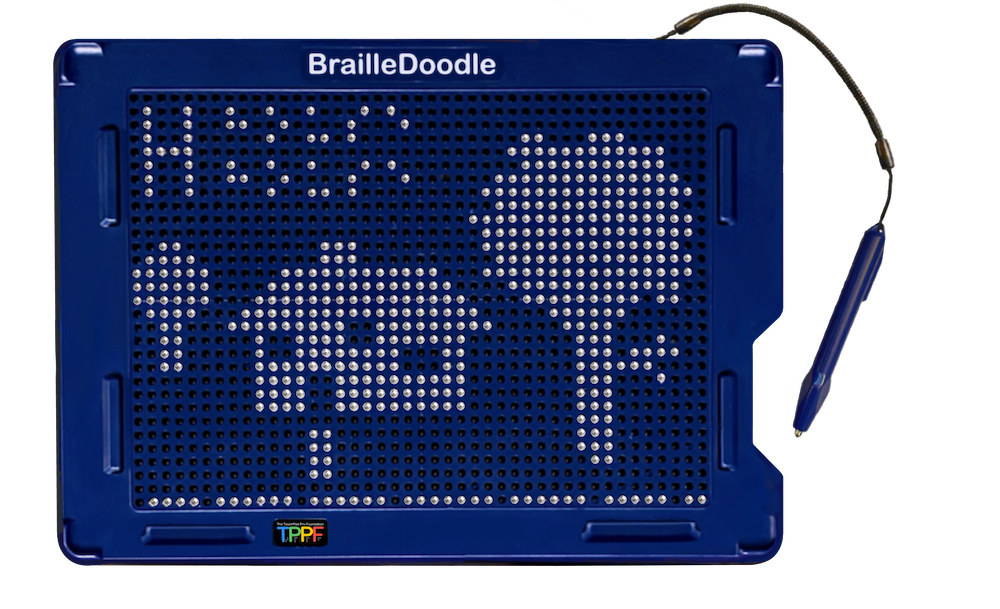
BrailleDoodle Doodle Side showing a tactile house and tree drawn with raised metal dots using the magnetic stylus.

The Doodle Side

Create tactile pictures, shapes, maps, and graphs. Erase and begin again.

MORE WAYS TO CONNECT THE DOTS

See what learning can look like.

Learn Braille with Confidence and Ease. BrailleDoodle features no-fail learning, unlimited practice, multiple examples of standard braille, and space to write words and sentences.

Braille learning, at any age

Learning Braille and creating through touch can be part of everyday life.

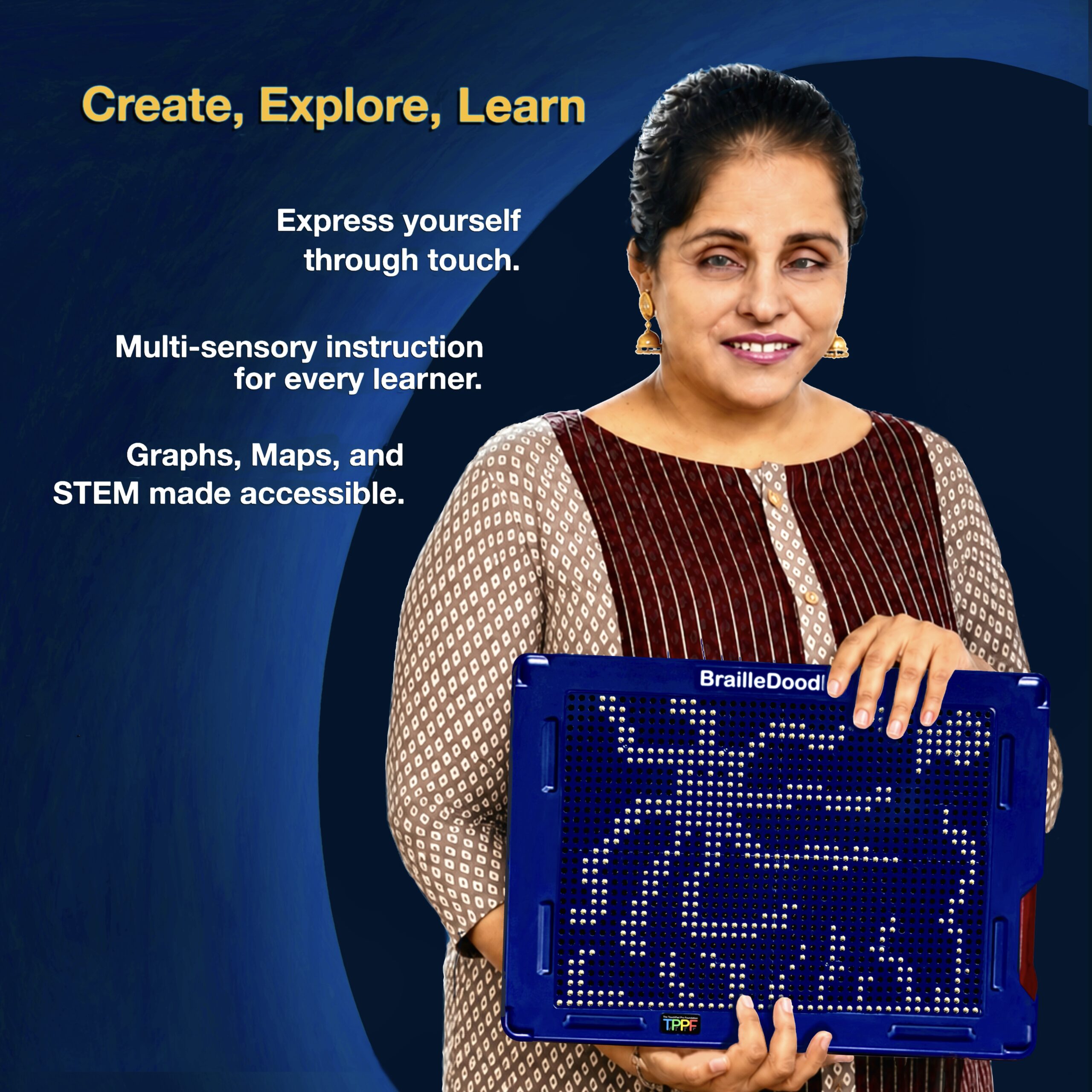
Create, Explore, Learn. A woman holds BrailleDoodle: express yourself through touch, with multisensory instruction for every learner and accessible graphs, maps, and STEM.

Art to share

Create pictures that friends, siblings, and family can explore together.

Doodle Overlays Bring Limitless Possibilities. Orange BrailleDoodle guides support geometry, shapes, foreign languages, contractions, music, and art. Two overlays shown are included, plus a bonus MathDoodle overlay.

Explore shapes, math & STEM

Use covers as guides, then take them off to feel what you made.

LEARN BRAILLE, ONE LETTER AT A TIME

Lift a dot.
Learn a letter.

Follow a braille example, raise the matching dots with the magnetic stylus, and feel the letter with your fingertips.

Practice with a guide

Start with the larger cells, then explore standard-size braille and build up to words and sentences.

Feel it. Reset it. Try again.

Press the dots down and practice again at your own pace.

Explore braille lessons & instructions ↗ (opens in a new tab)
A SMALL DIGITAL EXPLORATIONTry it

Six dots. A new way to read.

Choose a letter, then match its dots.

EXAMPLEa · dot 1
YOUR TURN
Tap to raise or lower

Raise dot 1 to make a lowercase a.

This screen activity illustrates dot patterns. On a BrailleDoodle, you can feel the dots with your fingertips.

STAY IN THE LOOP

A little more discovery in your inbox.

Get Foundation news, BrailleDoodle ideas, and ways to help.
Draft signups are stored privately for review. They are not added to the live mailing list yet. Foundation privacy policy

IN THEIR WORDS

Real voices.
Real possibilities.

Educators, blind leaders, and BrailleDoodle users share what hands-on learning has meant to them.

With thanks to our sponsors

Silver: World Services for the Blind; Michelle Witman / Asset Based Consulting.   Gold: Chris & Beth Davidson; Susan Merk; Access Information News.   Platinum: Elaine & Alvin Lubiner; Dr. Kirk Adams.   Diamond: The Natan and Sara Blutinger Charitable Foundation; Protolabs.

A few things you might be wondering

Does BrailleDoodle need batteries, a screen, or internet?

No. BrailleDoodle is a mechanical device. Use its magnetic stylus to raise dots, explore them by touch, and press them down to start again. No charging or connection is needed.

Is BrailleDoodle only for children?

No. BrailleDoodle supports learners of different ages, including adults learning braille. Families, teachers, and sighted peers can learn and create together.

Can I find lessons and instructions?

Yes. The Foundation’s directions page includes a quick-start guide, instructional videos, transcripts, and braille lessons. Open directions and lessons (new tab) ↗

How do donations help?

The Foundation’s mission includes providing BrailleDoodles to people who may not be able to afford them. You can donate or ask about sponsoring devices for a school, program, or community.